Outhentic Scores icon Outhentic Scores · Windows & Linux

Outhentic Scores.

A free sheet-music reader for Windows. Library and setlists, full-screen reading with pedal page turns, pen annotation, and a metronome, tuner and audio player built in. The desktop companion to OSE.

Linux: coming soon.

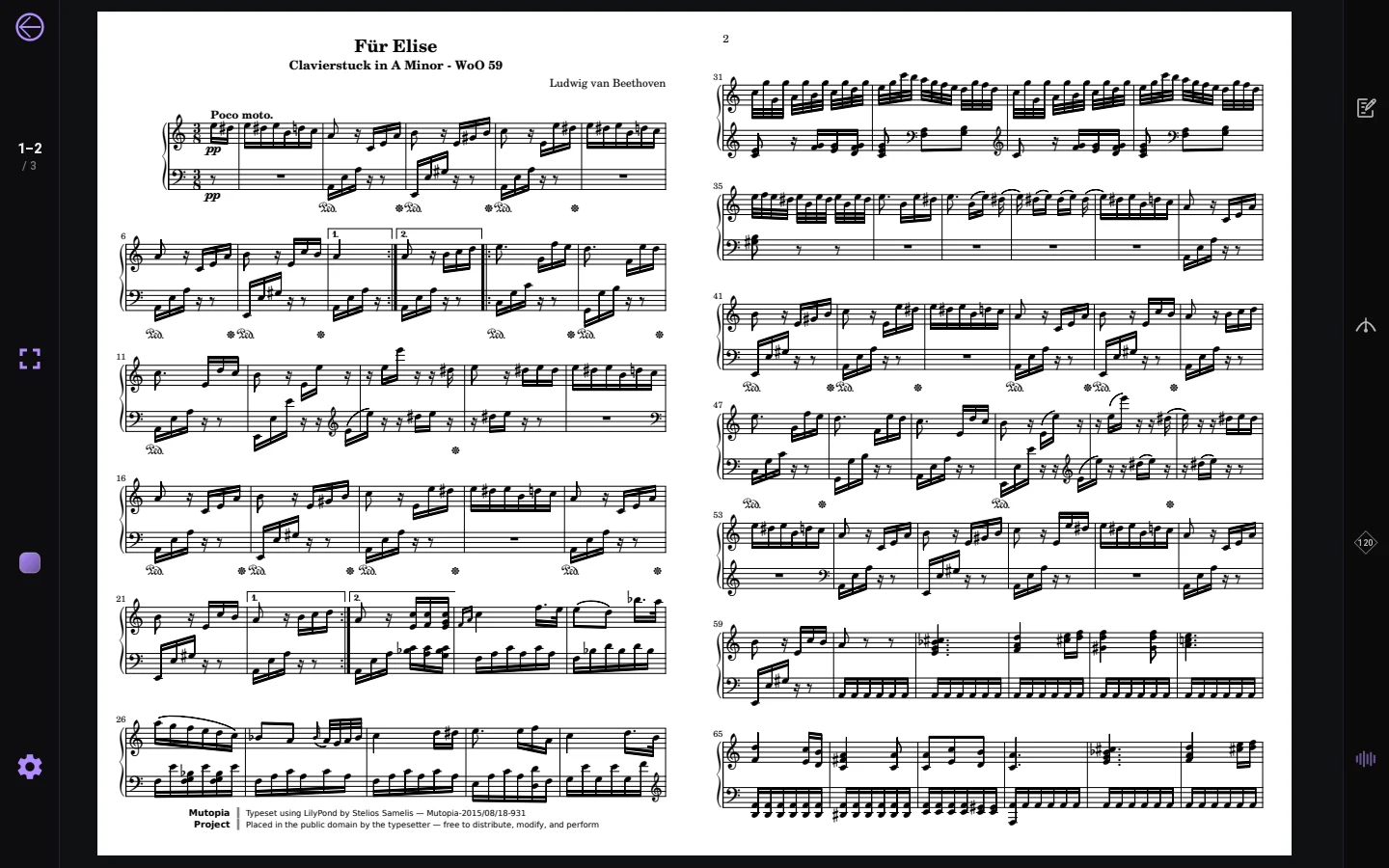
Outhentic Scores reader showing two pages of Beethoven’s Für Elise side by side, with the page counter and tools in narrow side bars.
Why Scores

Read, mark up, practise. One window.

Most players end up with a PDF reader for the music, a separate metronome, a tuner on the phone and a folder of practice recordings. Outhentic Scores puts them in one place, and keeps the music in front of you while you use them.

There is no account to create, no ads and no tracking. Your scores stay on your computer. If you want them on another device, you can sync through your own cloud storage.

Library

Every score, easy to find.

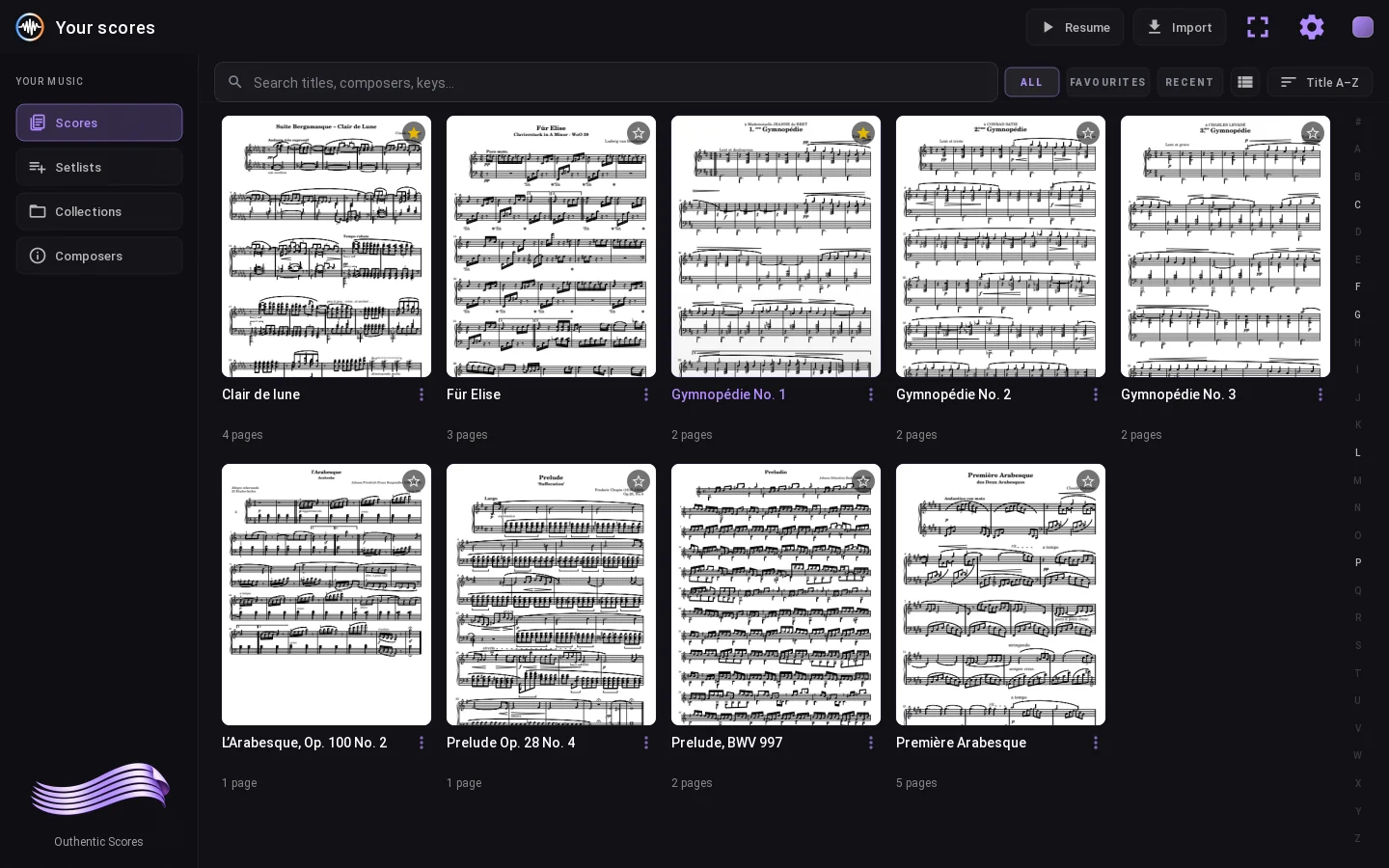
Your scores sit in one sortable library, with quick filters for favourites and recently opened scores. Group them into setlists for a concert or into collections for a book or a teacher.

Search covers titles, composers and keys, and also the text inside your PDFs. Scanned pages are read with OCR, so a search for a tempo marking or a lyric line finds the page it is on.

The Outhentic Scores library in cover view: nine piano pieces by Debussy, Satie, Beethoven, Bach, Chopin and Burgmüller with their first pages as covers, two marked as favourites, a search box, and sections for Scores, Setlists, Collections and Composers.

Reading

Full screen, hands free.

The reader shows one page, or two side by side, and keeps the controls in narrow bars at the edges. Start a setlist to play through its scores in order.

  • Page turns: slide, page curl, fade, or none.
  • Pedals and keys: Bluetooth page-turn pedals and the keyboard both work.
  • Tap to turn: on a touch screen, tap the page to turn it.
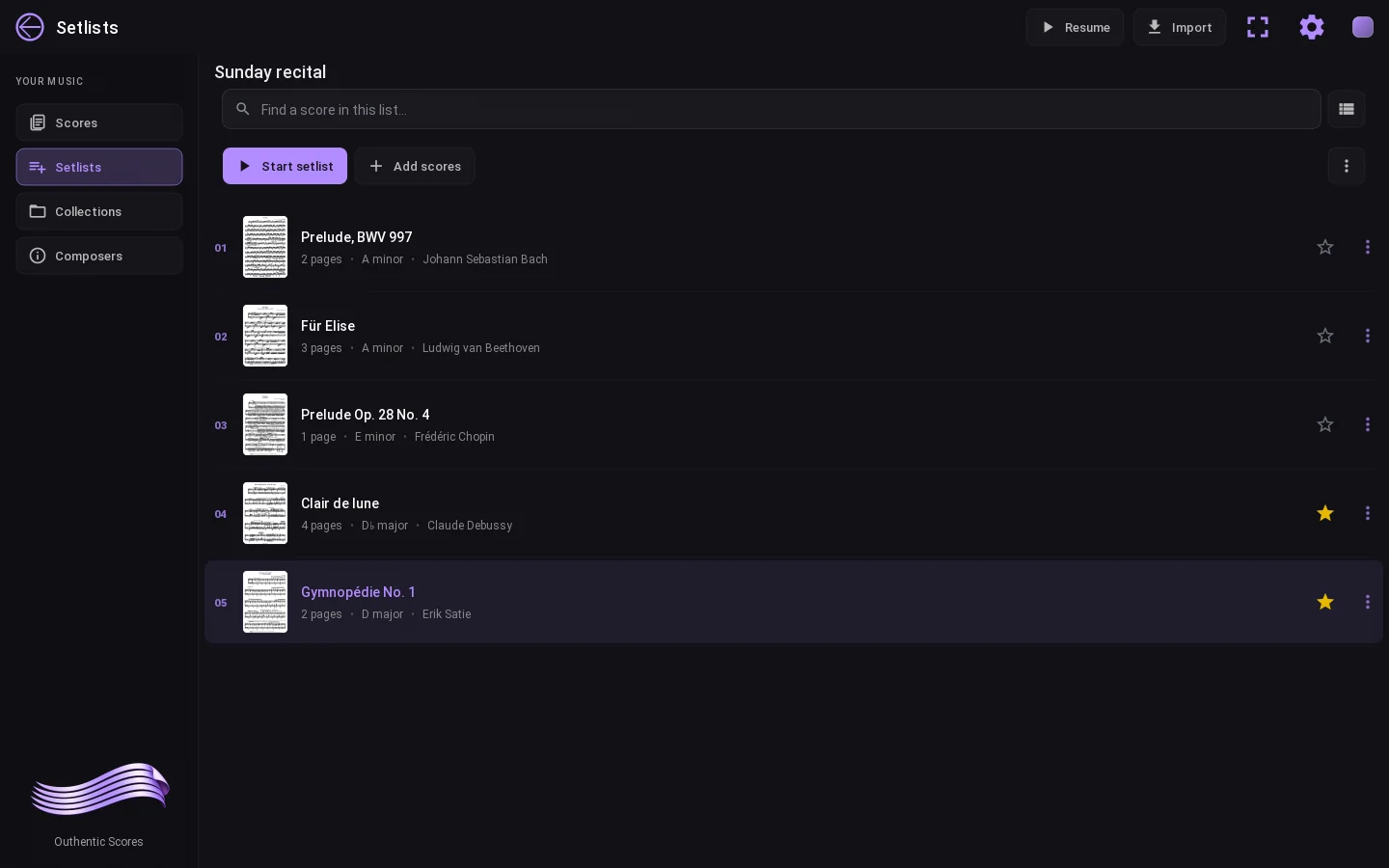
A setlist called Sunday recital with five numbered scores, from Bach’s Prelude BWV 997 to Satie’s Gymnopédie No. 1, and a Start setlist button.

Annotation

Write on the music.

Mark fingerings, breaths and cuts the way you would in pencil, with a pen, a finger or a mouse.

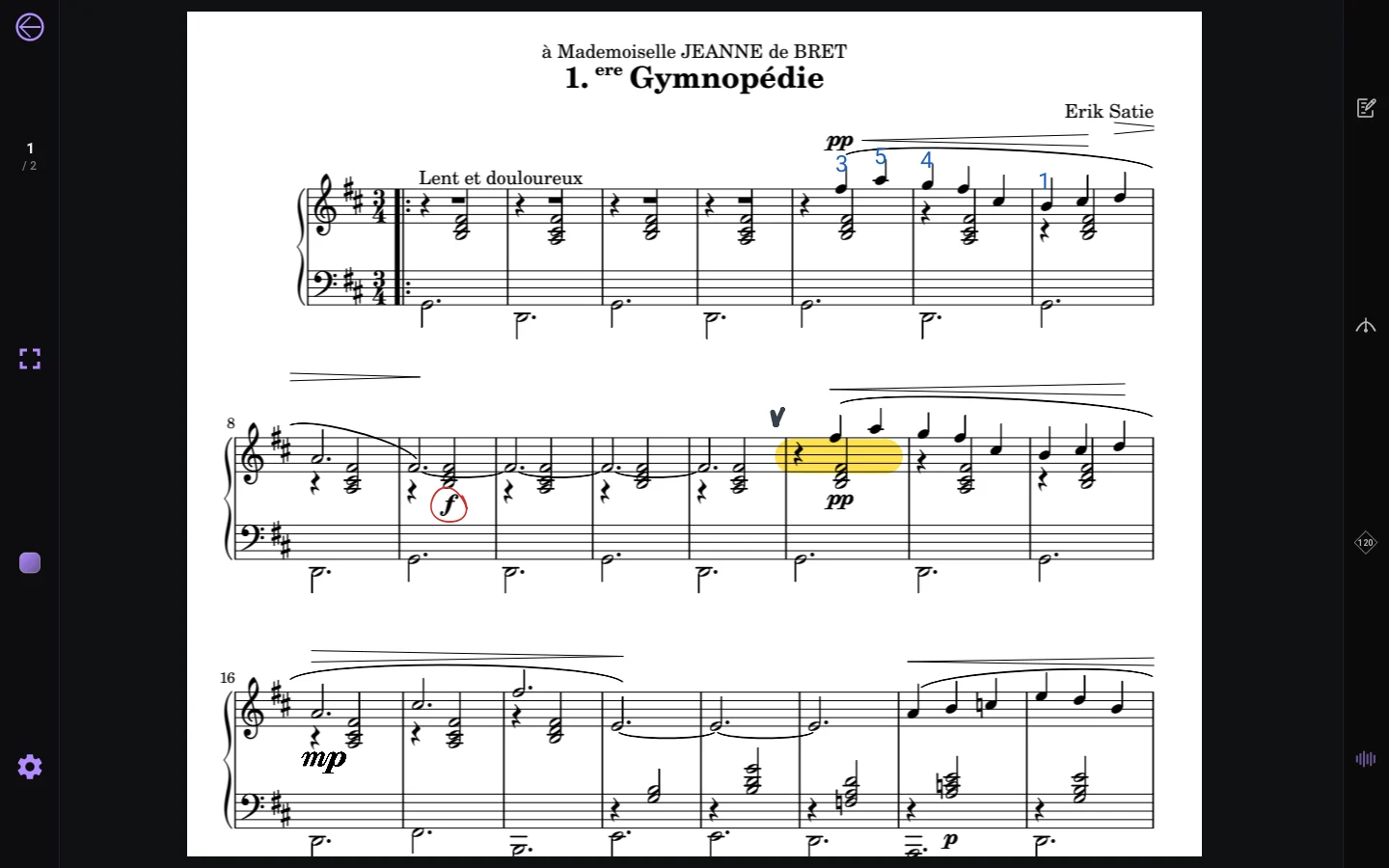
Satie’s Gymnopédie No. 1 with markings: blue fingering numbers, a red circle around a forte, a breath mark, a highlighted bar and an mp dynamic stamp.

Pen and touch

Draw with a Windows pen or graphics tablet, or with a finger on a touch screen.

Layers

Keep markings on separate layers, for example one for your teacher's notes and one for your own.

Stamps and text

Place dynamics, articulations and other common symbols as stamps, and add typed text where handwriting would be hard to read.


Practice tools, built in

Practise without leaving the page.

The practice tools open as panels over the score, so you never lose your place. They are the same tools as in OSE.

  • Metronome: tempo, time signature, accents, tap tempo and presets. A score can start the metronome at its own tempo when it opens.
  • Tuner: chromatic, with an adjustable reference pitch, a reference tone and sensitivity settings.
  • Audio player: play a recording alongside the score, change tempo and pitch independently, loop a passage, and record yourself.
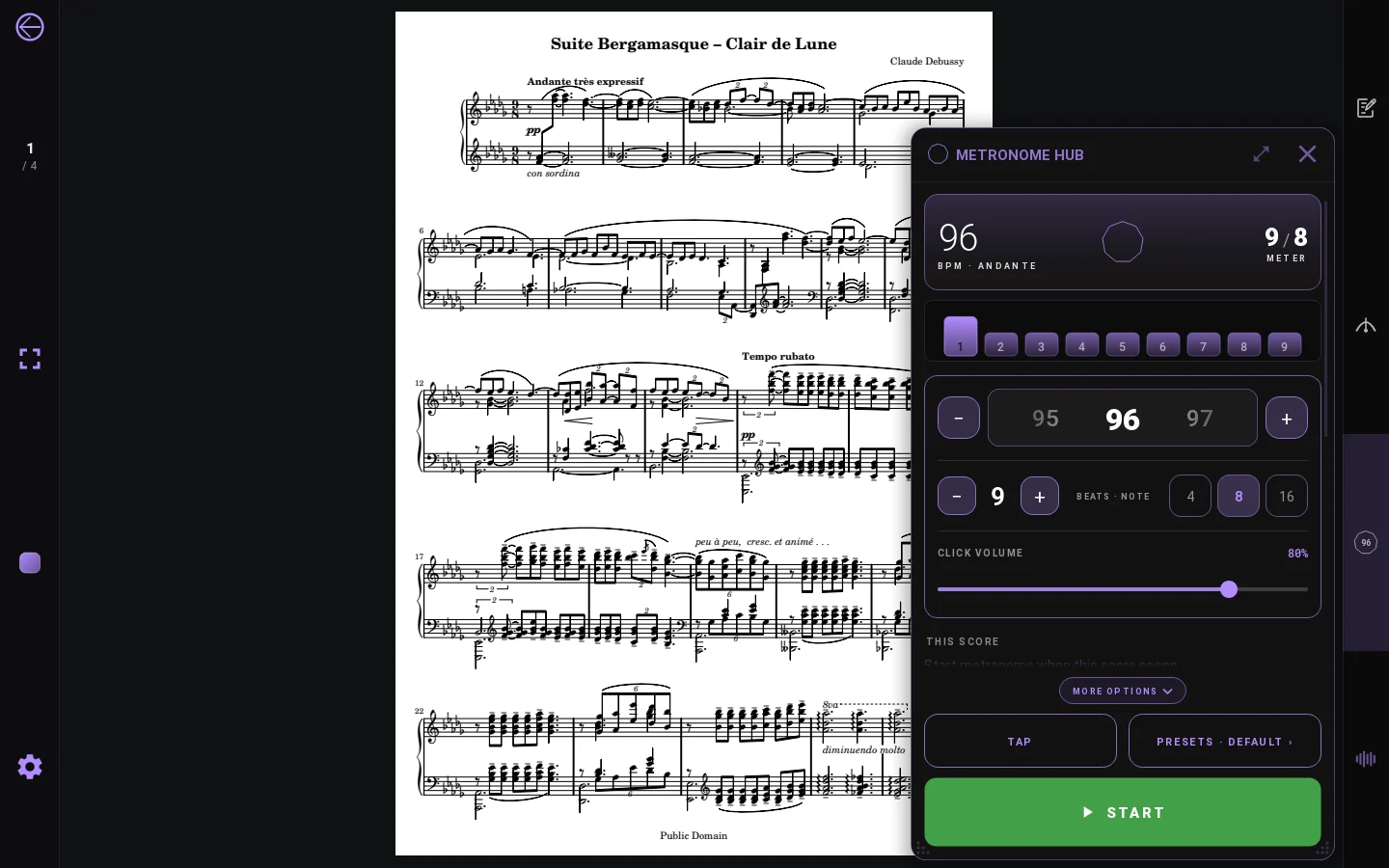
The metronome panel open over Debussy’s Clair de lune, set to 96 BPM in 9/8, with beat accents, tempo controls and a Start button.

Works on tablets too

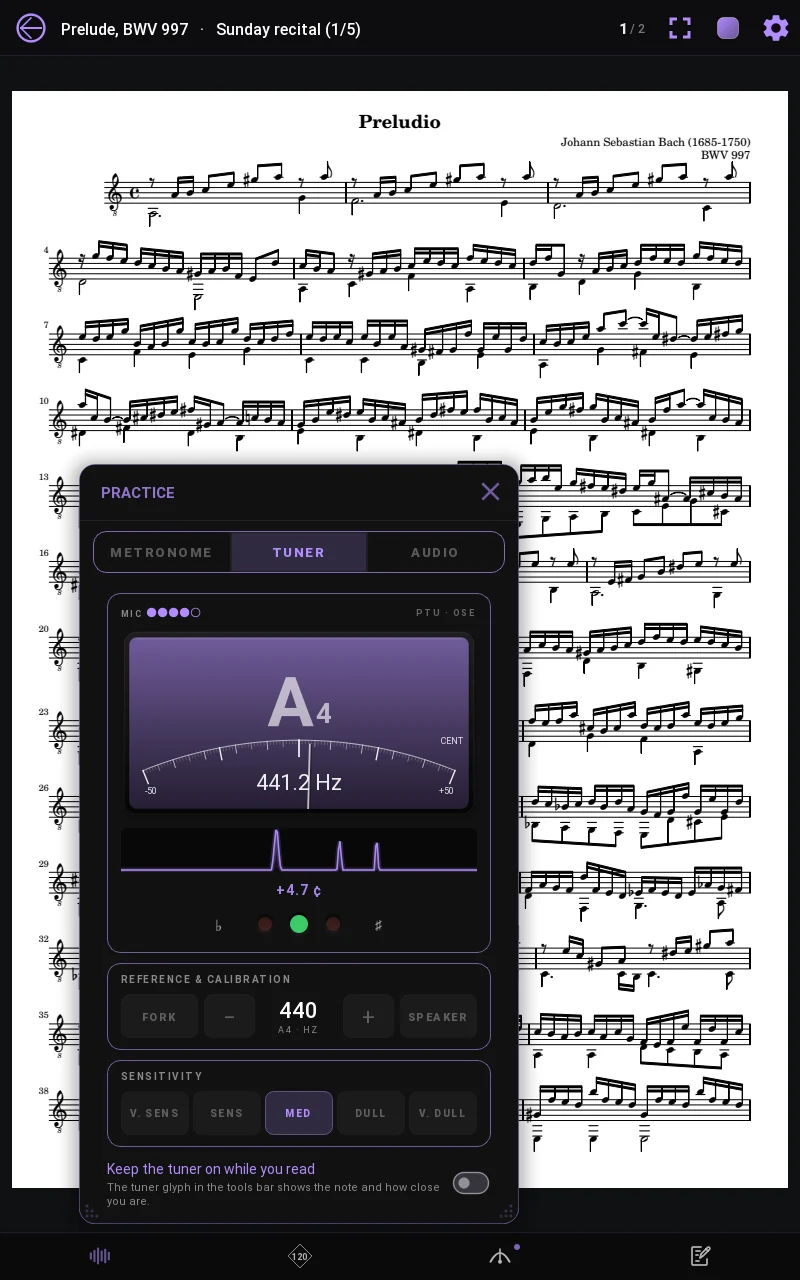
On a Windows tablet in portrait the reader fills the screen and the tools move to a bar at the bottom. The tuner can stay on while you read, with the note shown in the tools bar.

Outhentic Scores in portrait on a tablet, with the practice panel showing the tuner reading A at 441.2 Hz over Bach’s Prelude BWV 997.

Page preparation

Fix the PDF before the rehearsal.

Crop and rotate
Trim scanner margins and straighten pages that came in sideways.
Reorder
Move pages into performance order, for example to write out repeats and avoid page flips back.
Add pages
Insert a blank page or a page of empty staves for notes, cadenzas or exercises.
Export
Save a PDF with your annotations included, to print or to send to someone else.

Import & sync

Bring your library with you.

Import from other apps

Moving from another reader? Import a forScore library (.4sb) or a MobileSheets library instead of adding every score again by hand.

Optional cloud sync

Sync your library with your own OneDrive or Google Drive. There is no Outhentic server in between: files go directly from your computer to your cloud storage. Details are in section 18 of the privacy policy.

Privacy

No account, no ads, no tracking. Outhentic Scores does not send your scores, annotations or usage data to us.


Licences & open source

Built on open source.

Outhentic Scores uses Qt, which is licensed under the LGPL, together with other open-source components. The zip download keeps the LGPL libraries as separate files, so you can replace them with your own builds.

Every licence and notice ships with the app: Settings → About and licenses → Third-party licenses.


Sheet music in screenshots: public-domain editions from the Mutopia Project.

Put it on the stand.

No account needed. No data collection. Your music stays on your computer.

Coming soon Get it from Microsoft Coming soon Windows zip, portable

Linux: coming soon.